Homey — A better smart home
- 4.2
- Rating
- 100.00K
- Installs
- Free
- Price

 Analysis by App-foxy
Home automation usually becomes frustrating when every device expects its own app, account, and routine. I have found that Homey takes a more central approach: it is designed to bring different parts of a connected home into one place, so the useful question is not simply whether a light can be switched on, but whether the home can respond to what is happening around you. That focus makes it more interesting than a basic remote control, although it also means the experience depends heavily on the devices and setup you already have.
Developed by Athom B.V., this free House & Home app is aimed at everyday users rather than only smart-home enthusiasts. It is available for everyone from an age-rating perspective, works on Android devices running version 7.0 or later, and has reached over 100 thousand installs. The current version is 9.9.0, while its average rating sits at 4.2 from around 6.7 thousand ratings. Those figures suggest a product with a real user base, but they also hint at something I noticed in practice: Homey can feel wonderfully convenient once your home is arranged around it, yet less straightforward if you expect instant simplicity from the first screen.
One central idea: make devices work together
The capability I kept coming back to is Homey’s role as a central layer for home automation. Instead of treating a lamp, sensor, heating control, or other connected product as an isolated object, the app is built around relationships between events and actions. A change in one part of the home can become the reason for something else to happen. That is a much more useful idea than collecting separate on-and-off buttons.
You May Also Like

 Blood Strike: 2.5 Anniversary
Blood Strike’s Loadouts Turn Every Drop Into a Tactical Gamble
A close look at Blood Strike’s custom loadouts: how fast access to signature weapons reshapes its battle royale rhythm, rewards preparation, and narrows the gap between fights.

 Pandora - Music & Podcasts
Pandora’s Music Is Easy to Start, but Harder to Recover
Pandora’s strength is its low-effort path from a seed to a station. Its weak spot is how much confidence it asks you to place in connection, setup, and quiet recovery.

 8 Ball Pool
 Is Built on Rivalries, Rematches, and Routine
A close look at the rivalries, rematches, shared routines, and unanswered safety questions that turn a quick pool match into a persistent mobile community.

 Samsung Music
’s Quiet Strength Is Playing What You Already Own
Its reach comes less from spectacle than from dependable access to a personal library. That simplicity is both the app’s strongest retention engine and its ceiling.

 AccuWeather: Weather Radar
AccuWeather Review: A Quick, Clear Forecast for Everyday Decisions
For everyday plans, the best forecast is the one you can understand quickly. AccuWeather makes rain timing, radar, and local conditions easy to act on, with a few trade-offs.

 Hill Climb Racing
Why Hill Climb Racing Still Turns Crashes Into One More Run
A tiny car, a bumpy hill and one more upgrade: Hill Climb Racing keeps resurfacing because its simple chaos makes every near-miss feel personal.
More From Our News Desk
View All News


For example, a smart-home routine can be built around arriving home, leaving, or preparing for sleep. The value is not the individual command; most device makers already provide that. The value is reducing the number of small decisions I need to make during the day. When an automation is well planned, I stop thinking about the app and simply notice that the room is ready, the evening routine is less repetitive, or a device is no longer being managed manually.
This central approach also changes how I judge the app. I would not choose it solely because I want to control one bulb from my phone. A manufacturer’s own app may be quicker for that narrow task and may expose every setting for that brand more clearly. Homey becomes more compelling when the home contains several kinds of devices and I want a single logic for them rather than a folder full of disconnected controls.
There is an important distinction between controlling devices and coordinating them. Homey’s appeal is strongest in the second area. A single tap is convenient, but a condition-based routine can be more valuable because it removes the need for the tap altogether. That is the capability I would ask a potential user to consider first: do you want another remote, or do you want a more consistent way for your home to react?
What the app feels like during ordinary use
My first recommendation is to begin with one routine that solves a repeated annoyance. Trying to automate an entire home immediately creates too many decisions: which device should trigger the action, what should happen when circumstances change, and how should the routine be reversed? Starting with a small, predictable workflow makes it easier to understand whether Homey fits your habits.
A useful example is a leaving-home routine. Rather than opening several apps to check lights and other connected equipment, I would group the relevant actions into one deliberate sequence. The benefit is not just speed. It gives me one place to review the state I care about, which reduces the chance of forgetting one device while dealing with another. The same principle works for a bedtime routine, but I would keep it limited at first so that an unexpected action does not become annoying.
One non-obvious lesson is that automation should be designed around exceptions, not only the ideal case. A routine that works perfectly when everyone follows the same schedule can become irritating when a guest stays late, someone works from home, or a device is being used manually. I prefer routines that are easy to override or keep deliberately narrow. The more dramatic the automation, the more important it is to have a simple way to stop it from doing the expected thing at the wrong time.
Another practical tip is to separate “convenience” routines from “important” routines. A convenience flow can be experimental; if it behaves oddly, the consequence is minor. Anything connected with security, access, or equipment that should remain available deserves more caution. Homey can help coordinate a home, but I would not treat an automation as a substitute for checking whether a device itself is reliable or whether a manual fallback remains available.
A realistic evening with Homey
Imagine coming home with shopping bags while carrying a phone and trying to get through the door. This is where a coordinated smart-home routine can feel genuinely different from a collection of manufacturer apps. Instead of thinking about each room separately, I can use a single home-focused workflow to prepare the spaces I actually need. The useful result is less tapping at the exact moment when my attention is elsewhere.
Later, when the household settles down, a separate routine can reduce the number of repeated checks before bed. I would use this kind of setup for predictable actions, such as placing selected lights or other connected devices into an evening state. The key word is selected. I would not automatically include every device just because it is available. A good routine reflects how I live, while a bad one turns a small change in habit into a hunt for the setting that caused it.
This scenario also shows why Homey is not only about saving seconds. The larger gain is mental space. I do not need to remember which brand controls which part of the home, and I can think in terms of “arriving” or “going to bed” instead of individual products. For someone who has already invested in several compatible devices, that shift can make the collection feel like a system rather than a pile of gadgets.
At the same time, I would test routines during the day before trusting them at night. If an automation includes several actions, observing the sequence in a low-stakes situation makes it easier to catch an unwanted trigger. This is one of the most useful habits I developed with a central automation app: build slowly, test deliberately, and only then let the routine become part of daily life.
Where the setup can become demanding
The main trade-off is that Homey’s simplicity is earned through setup. The app can put a cleaner layer over a mixed smart home, but it cannot make incompatible or poorly configured devices behave perfectly. Before committing to a large project, I would check whether the devices I already own can participate in the workflows I want. That compatibility question matters more than the attractive idea of one unified dashboard.
There is also a learning curve in thinking about triggers and actions. A normal device app often presents a clear button: tap here, and the lamp changes. Automation asks more questions. What should start the routine? Should it happen every time or only under certain circumstances? What happens if the first action fails? Even when the app makes the process approachable, these are still design decisions. Users who want a completely hands-off setup may find that the planning takes longer than expected.
I also see a possible maintenance burden. Homes change. A device is replaced, a schedule shifts, or a family member develops a different habit. A routine that was sensible months ago may quietly become unnecessary. Centralization makes updates easier to find, but it can also concentrate many dependencies in one place. I would review important automations occasionally rather than assuming they will remain correct forever.
Another trade-off is choosing between the central experience and a device maker’s specialist controls. Homey is useful for the broad picture, while the original app may still be better when I need a very specific product setting or detailed troubleshooting. I would keep both expectations separate: Homey is the place for coordination, but it should not automatically replace every specialist tool.
The app is free to download, with in-app purchases ranging from $0.99 to $25.00 per item. That makes it easy to begin without paying upfront, but I would still think about the long-term cost of the overall setup rather than judging the app in isolation. Smart-home hardware, replacements, and optional software features can all affect the real budget. The free entry point is helpful, yet it does not turn a multi-device home into a cost-free project.
Who will get the most from it?
I think Homey is best for someone who already owns, or seriously plans to own, more than one kind of connected home device. That person will benefit from reducing app switching and creating routines based on real moments in the day. It is especially appealing if the user enjoys refining a setup over time rather than expecting everything to be perfect after installation.
It can also suit households where convenience matters more than technical experimentation. A carefully chosen arrival or bedtime routine can help everyone follow the same basic pattern without requiring every person to understand each device brand. The strongest results come when the automation reflects a shared habit, not when it is built only to demonstrate how many actions can happen at once.
On the other hand, I would skip Homey if I only needed one simple smart device and its own app already did the job well. Adding a central layer in that situation may create more configuration than benefit. I would also be cautious if I dislike troubleshooting, changing routines, or checking compatibility before buying hardware. Homey makes a connected home more coherent, but coherence still requires decisions from the person setting it up.
Compared with using separate manufacturer apps, Homey offers a more unified way to think about the home. The usual alternative is often easier for a single product and may expose brand-specific options more directly. Compared with a highly technical automation platform, Homey feels more approachable for people who want meaningful routines without treating the home like a programming project. That middle position is its clearest strength, though users seeking maximum control may eventually notice the boundaries of a more guided experience.
Small practices that make the experience better
I would name routines by the situation they solve rather than by the devices they contain. “Leaving home” is easier to understand later than a label built from several product names. This sounds minor, but clear names become valuable once the number of routines grows and someone else in the household needs to understand them.
I would also avoid making one routine responsible for too much. A single large sequence may look efficient, but it becomes harder to diagnose when one part behaves unexpectedly. Dividing the home into sensible routines makes testing easier and lets me change one habit without disturbing everything else. This is a practical advantage of treating automation as a set of small building blocks rather than one grand command.
Finally, I would keep manual control visible. Automation should remove repetitive work, not make the user feel locked out of the home. If a routine changes the expected state, I want to know how to take control quickly. That balance—automatic when the pattern is clear, manual when circumstances are unusual—is what separates a helpful smart home from an unpredictable one.
My verdict after using it as a home coordinator
Homey is most convincing when I judge it as a coordinator rather than as another app for pressing buttons. Its central capability can turn separate connected products into routines that match real life, and that is where I think the app delivers its best value. The experience is particularly rewarding for households with several devices and repeated daily patterns.
It is not effortless in the absolute sense. Compatibility, setup choices, exceptions, and occasional maintenance still matter. The app can simplify the home’s logic, but it cannot remove the need to think carefully about what should happen and when. That is a fair trade-off for users who want control without managing a completely technical system.
With Athom B.V. behind it, a free starting point, an Everyone rating, and a current release that supports Android 7.0 and newer, it is accessible to a broad audience. I would approach it with one clear goal, test the routine in ordinary conditions, and expand only after the first workflow proves useful. My honest recommendation is to choose Homey when coordination is the problem you want to solve; if you only need a single-device remote, the simpler manufacturer app may be the better choice.
FAQs for Homey — A better smart home
01What is Homey, and how does it enhance my smart home experience?
Homey is a comprehensive smart home hub designed to connect and manage various smart devices seamlessly. It supports multiple brands and protocols, allowing you to control everything from lighting to security systems through a single app. This centralized approach not only simplifies device management but also enhances automation, making your smart home experience more efficient and enjoyable.
02Which devices and platforms are compatible with Homey?
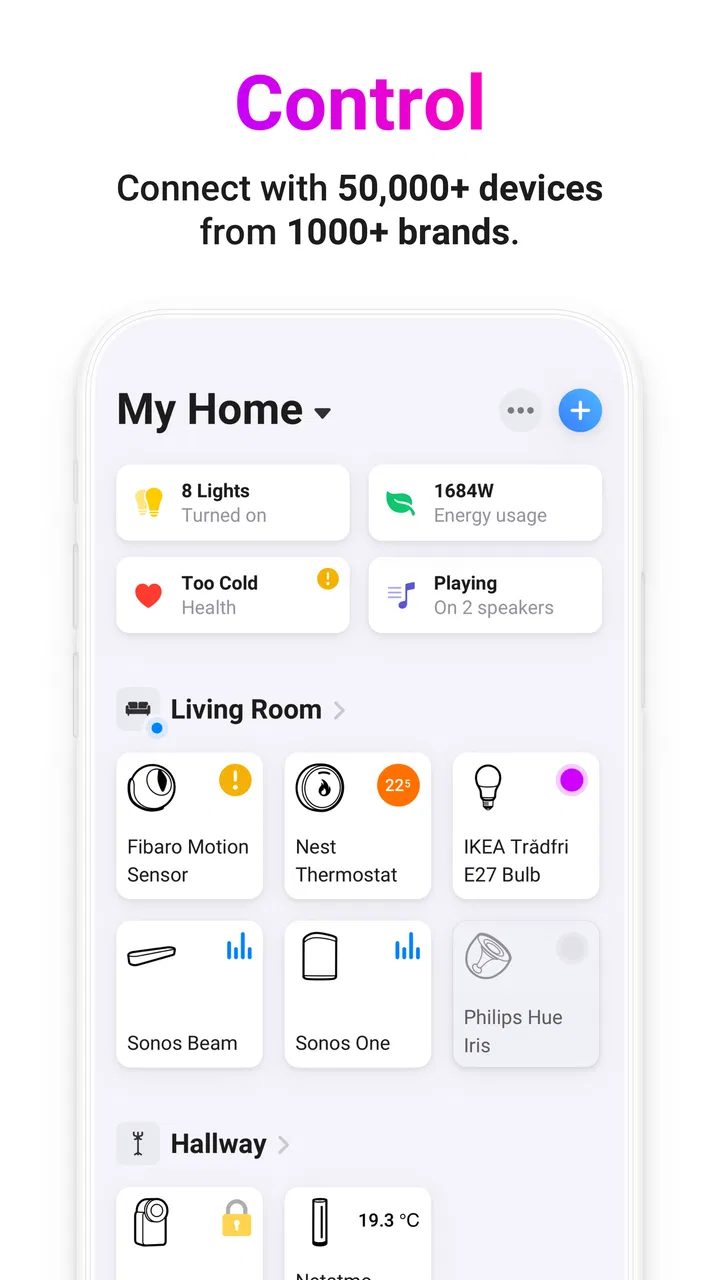
Homey is compatible with a wide range of devices, supporting over 50,000 products from major brands like Philips Hue, Sonos, and more. It integrates with popular platforms such as Google Assistant, Amazon Alexa, and Apple HomeKit. This extensive compatibility allows users to create a truly interconnected smart home environment, regardless of the brand or platform.
03How user-friendly is the Homey app for beginners?
The Homey app is designed with user-friendliness in mind, offering an intuitive interface that caters to both beginners and advanced users. The setup process is straightforward, with step-by-step guides and tutorials to help you connect your devices and create automation flows. The app’s clean design and easy navigation make managing your smart home a hassle-free experience.
04What kind of automation features does Homey offer?
Homey provides robust automation capabilities through its 'Flow' feature, allowing users to create custom scenarios for their devices. You can design automation flows based on specific triggers, conditions, and actions. For example, you can set your lights to turn on when you arrive home or adjust the thermostat based on the weather. These features enhance convenience and energy efficiency in your smart home.
05Is Homey secure, and how does it protect my privacy?
Homey prioritizes user security and privacy by implementing strong encryption protocols and not storing sensitive data on its servers. All communications between your devices and the Homey hub are encrypted, ensuring a secure environment. Additionally, Homey’s privacy policy is transparent about data usage, giving you peace of mind about how your information is handled.
Pros
- User-friendly interface for easy navigation.
- Supports a wide range of smart devices.
- Customizable automation rules enhance flexibility.
- Reliable remote access from anywhere.
- Regular updates with new features.
Cons
- Initial setup can be time-consuming.
- Some devices have limited compatibility.
- Free version has restricted features.
- Occasional connectivity glitches.
- Requires stable internet for best performance.

Homey — A better smart home
Gallery